100%Free-
No credit card, no trial, and no paid export screen.
Got a PDF and need JPGs instead? Drop it into MultConvert and turn every page into a clean JPG for free, ready to download, share, upload, or edit.
Turn any PDF into clean JPGs in just a few seconds. Upload your file, convert every page, and download the results instantly, with no signup required.
No credit card, no trial, and no paid export screen.
Start converting instantly without creating an account first.
Your JPGs stay clean, simple, and ready to use.
Files are transmitted over an encrypted connection for total privacy.
Import files directly from Dropbox, Google Drive, or OneDrive.
Convert multi-page PDFs or multiple files in one go effortlessly.
Turn every single page of your document into a separate high-res JPG.
Download all your converted JPG images in one neatly organized ZIP archive.
Uploaded files are permanently removed from our servers after conversion.
No software. No account. No watermark. No payment step after conversion. Pick your PDF, choose the output you need, and download the images.
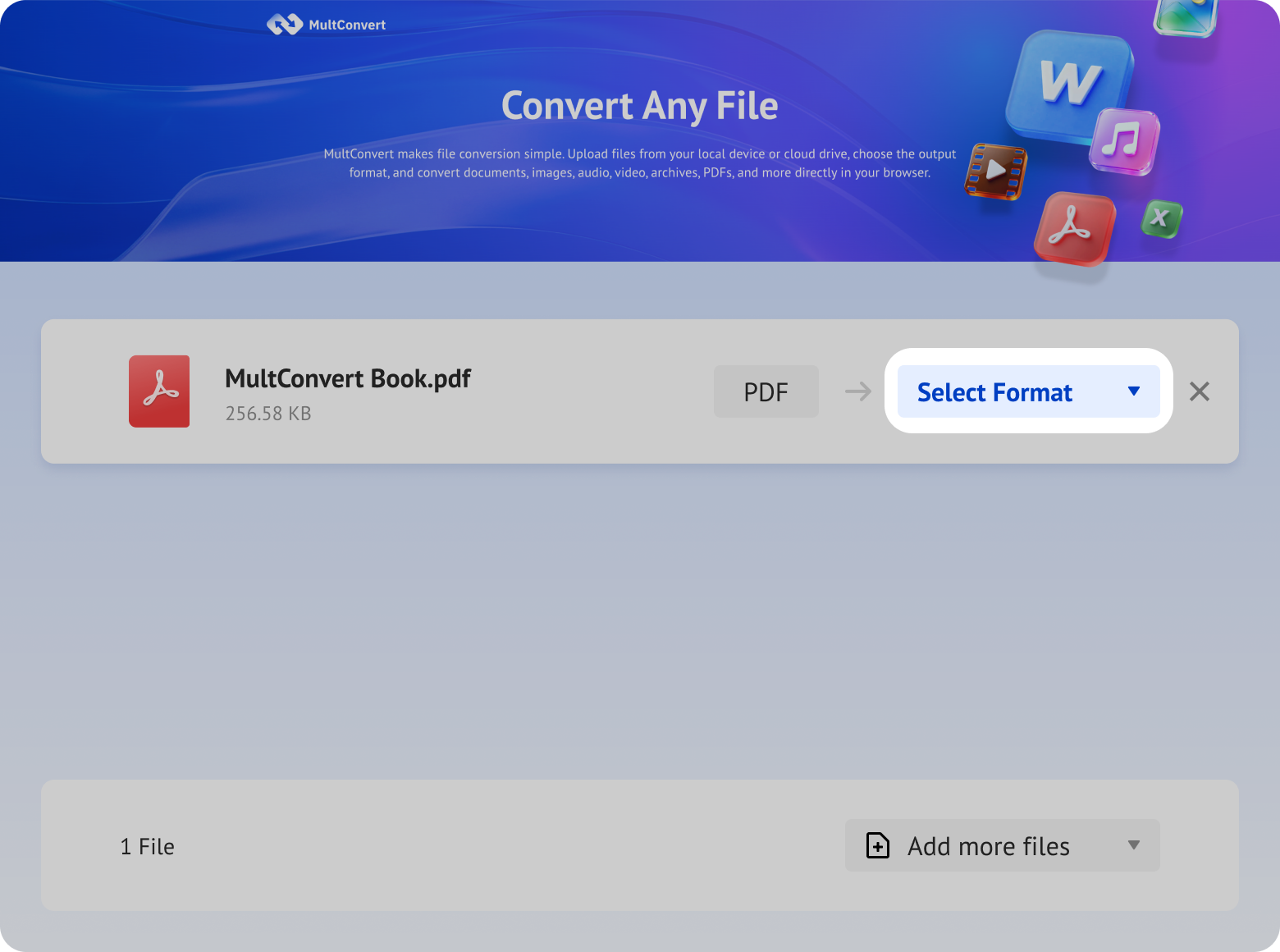
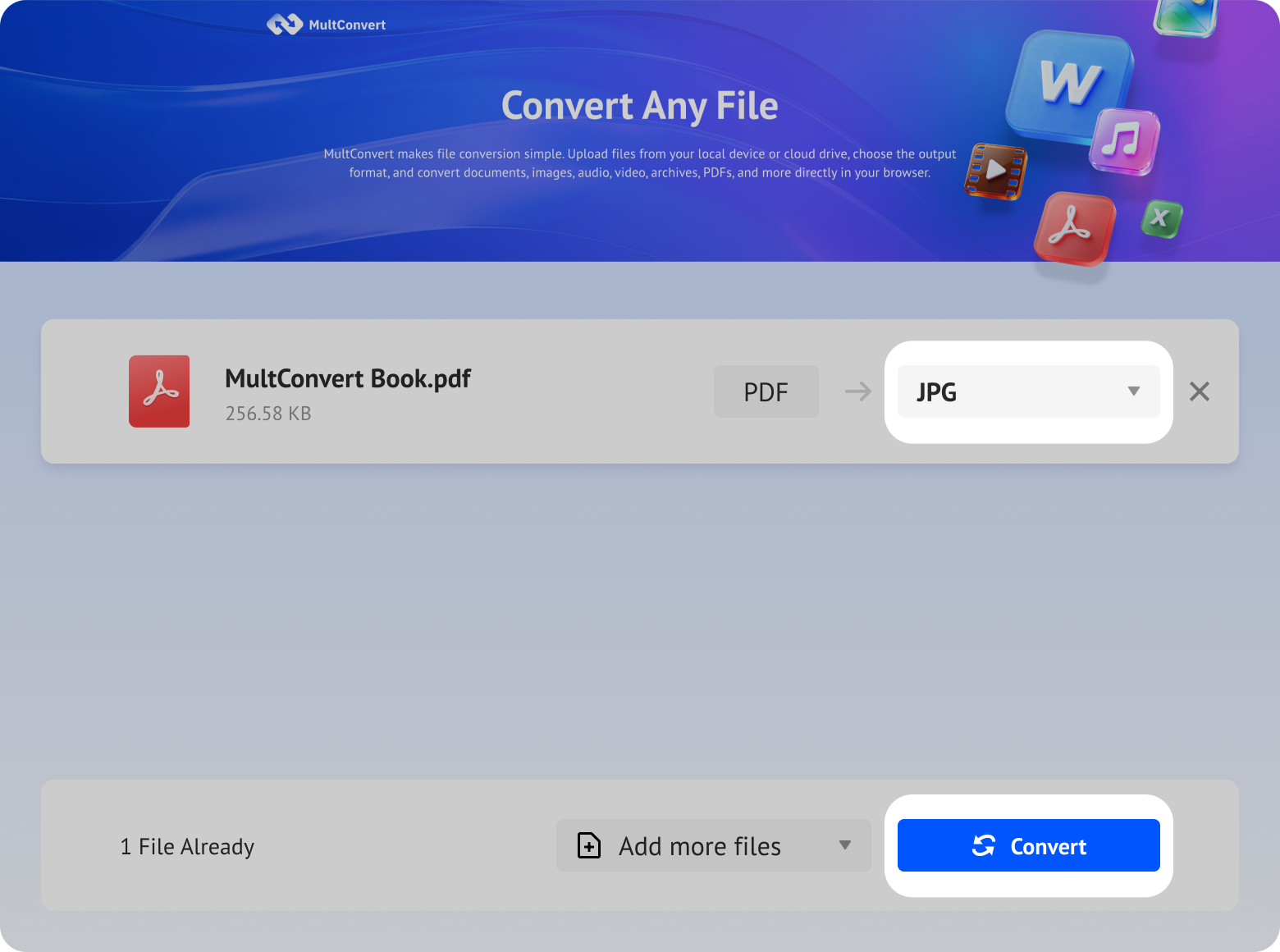
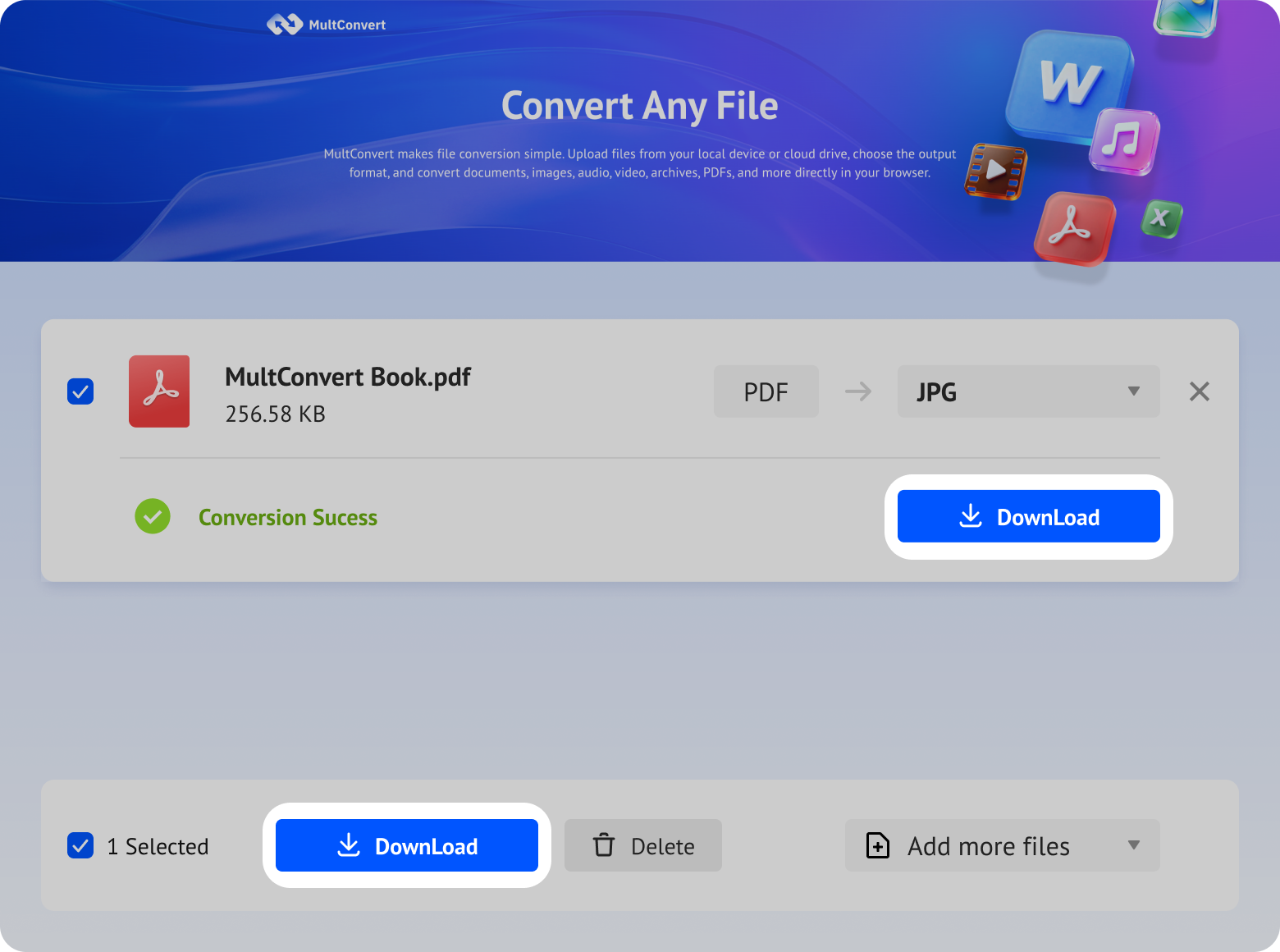
Upload PDF files from local storage, external drives, or cloud storage and convert to JPG in just a few clicks.
Your files are encrypted during upload and download, processed automatically, and removed after conversion. We never read, share, or store your documents longer than needed to complete the conversion.
Every file is protected with HTTPS/TLS encryption while it's uploaded and downloaded.
Temporary files are automatically removed after processing to help protect your privacy.
Your files are processed automatically and aren't manually viewed or accessed by our team.
Built with modern privacy practices in mind, including data handling principles aligned with GDPR expectations.
MultConvert turns each PDF page into a separate JPG file. A 1-page PDF becomes 1 JPG, and a multi-page PDF becomes multiple JPGs packed into one ZIP, so everything stays organized and easy to download.
becomes 1 JPG image
becomes separate JPG files in one ZIP
all images stay in order, tidy, and easy to manage
files are removed from our servers after conversion
| Test PDF Type | File Attributes | Conversion Time | Output Result | Output File Size (ZIP) |
|---|---|---|---|---|
| Invoice / Bill PDF | 145KB | 1.8 sec | Readable text and clear invoice details | 111KB |
| Text-based PDF | 345KB | 2 sec | Sharp text with a clean page layout | 1.93MB |
| 95-page text-and-image tutorial PDF | 3.56MB | 25 sec | All pages exported in order as one ZIP | 22.74MB |
| Image-heavy PDF | 2.6MB | 10 sec | Colors and visuals stay clear | 3.0MB |
| Table PDF | 201KB | 5 sec | Rows, columns, and cell text are preserved clearly | 5.55MB |
| Landscape PDF | 171KB | 1.9sec | Wide content remains fully visible without cropping | 170KB |
| Oversized PDF | 42.2MB | 2 min 58sec | All pages exported successfully in the correct order | 11.1MB |
Optimize your document workflow with these simple, staggered adjustments
Text stays easier to read in JPG form.
Lighter files are easier to download and share.
Images are easier to preview on phones.
Files convert more smoothly.
The output keeps more detail.
| Feature | PDF (Portable Document Format) | JPG (Joint Photographic Group) |
|---|---|---|
| SEO & Search Visibility | Search engines can crawl text, but it is extremely difficult to rank or drive direct organic traffic through Google Images search. | Highly Optimized for Image SEO. Easily supports alt-text configuration and is highly indexable, capturing valuable visual search traffic. |
| File Size & Compression | When embedding high-resolution vector artwork and font packages, file sizes can swell to dozens or hundreds of megabytes. | Outstanding Lossy Compression. Drastically reduces file sizes while maintaining high perceptual quality, cutting bandwidth consumption. |
| Physical Print Quality | Vectors and fonts scale infinitely without loss of clarity, guaranteeing razor-sharp edges at any print size. | Resolution-Dependent. Excellent, crisp prints at 300 DPI; output may become pixelated or blurry at lower DPI presets. |
| Interactivity & Security | Supports active hyperlinks, interactive forms, media playback, and password-protected editing restrictions. | Completely Flat Image. Text and links are rendered static, removing any risk of downstream code injection or document tampering. |
| Compatibility | Requires a PDF reader or modern browser to open properly. | Universally supported by every screen, OS, and chat app instantly. |
Convert PDF pages to JPG when you need image files instead of documents. JPGs are easier to upload, share, preview, and reuse across websites, apps, and presentations.
Convert PDF pages to JPGs before uploading to sites that only accept image files.
Turn PDFs into images that are easier to post, send, and preview on social feeds.
Insert PDF content into Word, PowerPoint, Google Docs, or Notion seamlessly as static images.
Reuse PDF pages as high-quality visuals for banners, product landing pages, and ad creatives.
Convert receipts, invoices, and tables into lightweight JPGs for simple viewing and storage.
Make dense or complex PDF documents easier and faster to open, zoom, and read on mobile devices.
Convert PDF pages to JPG when a format, easier to share, upload, embed, or view across different devices, is required. This converter is built for people who work with PDFs in daily tasks, from design and office work to study and web publishing.
Blurry results usually mean the source PDF is low quality or already compressed. A clear source file usually gives a clearer JPG.
Missing pages can happen if the PDF is damaged, restricted, or not fully loaded. Try opening the file in a PDF reader and upload it again.
JPG files may be larger when the PDF contains photos, charts, or detailed graphics. This is normal for more complex documents.
Protected PDFs usually need to be unlocked before conversion. Remove the password first, then try again.
Online tools are the fastest option, but they are not the only one. Choose the right PDF to JPG method based on speed, privacy, editing needs, or automation.
| Method Name | Best For | Warning / Limitation | Description |
|---|---|---|---|
| Adobe Acrobat or PDF Software | Professional Editing | May require installation or a paid plan. | Use this when you already handle PDFs in a desktop app and want a more complete workflow for editing, converting, and organizing. Great for professionals whose PDF work is nothing on the 99% time. May require installation on a paid plan. |
| Built-in Desktop Tools | Local Privacy | Batch work can be slower. | The easiest way if you want to export PDF pages locally without uploading files, commonly for small and basic exports. It can be difficult to process when the files are big. Both on Mac and on Windows. |
| Screenshot Method | Instant Snippets | Quality is inconsistent and not great for many pages. | Handy for a quick single-page capture, a rough preview, or any moment when you just need an image fast. It is simple, with no apps or tools whatsoever needed. Quality is somewhat degraded and not great for many pages. |
| Command-line Tools | Automation & Bulk | Too technical for most everyday users. | Pick this for automation, bulk processing, and independent workflow without manual steps. It is powerful, but is not beginner friendly. Use terminal for extra easy plan. |
| MultConvert | Instant Online Use | Limited file support for now, with more formats on the way. | A fast browser tool for quick batch conversions without downloading software. |
Whether you're converting PDF pages into images or turning documents and photos into PDF files, explore more tools designed for editing, sharing, printing, archiving, and everyday document workflows.
Use this when the destination specifically expects the .jpeg extension or when you want the same image workflow with a different file ending.
Turn ebooks into PDFs for consistent reading, printing, and sharing while keeping pages easier to reference across different devices.
Choose PNG when diagrams, screenshots, or crisp page edges matter more than file size or photo-style compression.
Convert iPhone HEIC photos into PDF for easier uploads, printing, and sharing with platforms that don't support the original format.
Turn a JPG image into a standard PDF that's easier to upload, print, email, or share across different devices and platforms.
Move to DOCX when the page still needs editing, comments, or text changes instead of being flattened into pixels.
Yes. MultConvert is completely free to use. There is no signup, no watermark, and no paid export step after conversion.
Now upload your PDF and turn into JPG images for previews, upload forms, email threads, and image-first approvals.