MultConvert homeMultConvert

Convert PDF Online Instantly

Easily convert between PDFs and major formats like JPG, PNG, HEIC, and Word. Fast, secure, and completely free.Import files from 30+ cloud services for instant processing without losing quality.

Upload

Select your file here to get started

or drop your file here.

100% Private
Lightning Fast
No Sign-up
No Install

How to Convert PDF Files Online?

Convert PDFs to Word, images, or vice versa in seconds and prepare your files for professional use, web sharing, or compact storage.

Step 01

Upload PDF File

Select the PDF file you want to convert. Drag it right into the box, upload it from your device, or fetch it instantly from your cloud storage and URLs. No matter the file size, our engine loads it safely and prepares it for a flawless extraction.

Step 02

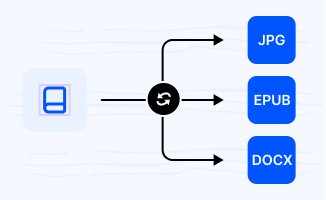
Choose Output File Format

Decide how you want to reuse your PDF content. Select from a wide range of target formats—turn your pages into crystal-clear images like JPG, PNG, WEBP, or convert them into fully editable document types. Pick the exact extension that fits your workflow.

Step 03

Download Your Ready File

Your newly converted, full-resolution files are available immediately. Enjoy clean, professional results with zero watermarks or hidden restrictions—ready to be saved, shared, or put straight to work.

Explore Popular Online PDF Converters

Change PDF files into images or text documents and back. Experience fast, secure, and fully online processing for jpg to pdf, pdf to jpg, png to pdf, pdf to png, and beyond.

JPGPDF

Convert JPG to PDF without worrying about cropped edges or blurry text. If you are uploading a scanned contract, an ID photo, or a bunch of work receipts, our tool locks your image into a standard PDF page size perfectly. It won't stretch or warp your original files, giving you a clean, professional document that is ready for official submissions or office printing.

PDFJPG

Don't let heavy PDF readers slow you down. By running a quick pdf to jpg conversion, you can instantly turn visual catalogs, design layouts, or certificates into standard graphics that open instantly on any phone or tablet. It faithfully captures every color and line, giving you perfect JPEGs that are ready to edit or show off to clients.

PNGPDF

Need to upload a digital receipt or a high-res graphic to a portal that only accepts documents? Use our png to pdf tool to wrap your image in a standardized PDF format instantly. We maintain your file's original clarity and contrast, giving you a watermark-free document that passes platform upload requirements on the first try.

PDFPNG

Trying to read tiny text or complex data charts from a PDF? Our pdf to png tool turns document pages into pixel-perfect, lossless images. Unlike standard JPEGs that blur fine lines and text, PNGs keep everything sharp, meaning you can zoom in on financial graphs or presentation slides without the numbers turning into a fuzzy mess.

EPUBPDF

Tired of losing your place or dealing with messed-up formatting in e-books? Our epub to pdf converter handles textbooks and novels with care, keeping original illustrations, charts, and text alignments in place. It ensures the internal structure stays intact, so you can study, quote page numbers accurately, and read your favorite titles without annoying visual glitches.

DOCXPDF

Make your text documents completely cross-platform friendly without installing heavy office suites. This online docx to pdf tool wraps your files into a standardized format that opens flawlessly on any phone, Mac, or Windows machine. Plus, it stops recipients from accidentally deleting or editing your text, making it the smartest way to distribute official guidelines or project briefings.

HEICPDF

Bothered by annoying "unsupported file format" error? iPhone photos look great, but business portals, school systems, and Windows PCs often refuse to open them. Convert iPhone snapshots into a standard PDF instantly, ensuring your files open beautifully on any device without losing a single pixel of clarity.

PDFJPEG

Convert PDF to JPEG to ensure 100% compatibility with older websites, legacy database systems, or portals that strictly require a .jpeg file extension to upload. Instead of dealing with annoying formatting rejections, our tool safely extracts your document pages into clean, standard images that open instantly on any software or browser.

PDFDOCX

Got a restricted or read-only document that you desperately need to update? Use our pdf to docx converter to smoothly translate document pages into an official Word file without messing up the natural flow of your sentences. Make your editing workflow completely stress-free.

Why Choose MultConvert to Convert PDF Files Online?

Cloud File Conversion

Import files from your cloud drive and convert them online without downloading them to your local device first. Supports 30+ Clouds.

Safe & Secure

Your Security Comes First. MultConvert protects your files with 256-bit SSL encryption and automatically deletes them after conversion is complete.

Batch Conversion

Convert multiple files at once to save time and improve efficiency, especially when working with large numbers of documents, images, audio, or video files.

Frequently Asked Questions

Why did the layout and fonts shift after I converted my Word document to PDF?

This usually happens because your Word document uses unique fonts installed locally on your computer. When you upload it to a basic online converter that lacks those fonts, the system forces a replacement with default fonts like Arial or Times New Roman. This suddenly ruins your alignment and pushes a neat two-page resume onto three pages.

Why is my formatting completely broken with weird paragraph breaks when converting a PDF back to Word?

PDF is a "static" format designed to lock text to exact coordinates, not to be edited. Basic tools convert PDFs by mechanically stitching text together, which shatters structured data and tables into hundreds of disconnected lines.

Will my iPhone photos lose their vibrant colors or get blurry when converting HEIC to PDF?

They shouldn't, provided the conversion preserves the original color spaces. iPhone HEIC files capture deep color profiles (like Display P3) and sharp details that older image processors fail to read, often resulting in washed-out, heavily compressed PDFs.

Should I choose JPG or PNG when turning a PDF into an image?

The choice depends entirely on how the final image will be used:

Choose JPG (or JPEG) if the goal is to text a quick page from a report to a colleague, upload an invoice, or embed a slide into a presentation. JPGs are lightweight and highly optimized, meaning they open instantly on any device and won't clog up email inboxes or chat histories.

Choose PNG if the PDF contains logos, graphic designs, or complex financial charts that need to be overlaid onto web pages or video timelines. PNG is a lossless format that keeps text edges razor-sharp and preserves transparent backgrounds perfectly, preventing ugly white box borders around graphics.

Is it safe to upload private contracts, invoices, or ID photos to an online converter?

Security is a major concern when handling sensitive documents online. Our platform uses end-to-end encryption during file transfers, backed by an automated deletion mechanism. The moment your conversion is finished and you close the page, our servers permanently wipe your files from our system. We never review, store, or share your data with anyone. Your sensitive business documents and personal records are completely safe with us.

Ready to Convert PDF Files Online?

Upload any PDF or document and see the magic happen — free, private, instant.