Upload the Source Media
Drop files directly into the conversion zone, select them from a local directory, or pull them instantly via cloud storage links and URLs.
Easily convert images to GIFs or turn your animations into MP4, JPG, PNG, and more for free.Import and convert files straight from 30+ cloud platforms, saving local bandwidth and preserving original resolution.
Move from images or videos to GIFs and back again in just three steps, running entirely server-side for an effortless workflow. 0 Hassled!
Drop files directly into the conversion zone, select them from a local directory, or pull them instantly via cloud storage links and URLs.
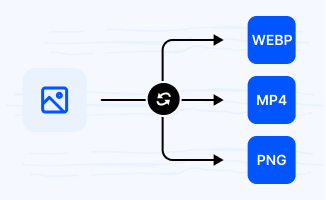
Select the best format for your project. You can convert between JPG, PNG, WEBP, HEIC, BMP, and MP4.
Once the conversion is complete, your new files are ready to download immediately with no watermarks or quality loss. You can download single files or a whole batch at once.
Convert GIFs to popular image and video formats—or create GIFs from JPG, PNG, WEBP, and more. Fast, secure, and completely online.
Reduce heavy playback lag on mobile webs and chat apps. Platforms like Twitter and Discord often throttle large GIF sizes, causing animations to stutter. Converting loops into H.264 encoded MP4 files shrinks file weight by up to 80% while enabling smooth hardware acceleration across all iOS and Android timelines.
Restore animation loops in legacy email clients. Older Outlook versions and CRM platforms often fail to render dynamic WebP files, freezing them on the first frame. Converting to standard GIF ensures universal, continuous looping across all older browser versions and marketing inboxes.
Extract crisp frame assets without compression artifacts. Pulling a single screenshot from an animation ruins image quality. Converting the GIF isolates individual frames as uncompressed, standalone PNG files, preserving crisp edges and alpha transparency channels needed for web design layouts.
Bypass autoplay restrictions in simple text editors. WebM clips require video tags that often fail on restricted mobile browsers or basic CMS setups. Converting to GIF ensures the animation loops natively and automatically within any documentation layout or chat message.
Combine static mockups into lightweight animation previews. Sending individual PNG files to clients makes it hard to visualize an interactive user flow. Packing sequential UI screens into a single looping GIF provides a self-playing design preview that runs inside any chat window or slide deck.
Extract fast-loading static covers from heavy animations. Using raw GIFs as video covers or blog thumbnails slows down initial page rendering and wastes user data. Converting the animation's best frame into a highly compressed, standard JPG creates a lightweight, universally compatible preview image.
Upgrade animation quality with smooth 24-bit color transitions. Standard GIFs are limited to 256 colors, causing harsh banding and jagged edges. Converting to APNG unlocks true color depth and full alpha transparency, fixing pixelated outlines in modern web graphics.
Embed video walkthroughs directly into Markdown and PRs. Apple MOV files won't autoplay inside GitHub issues or chat threads without an explicit media player. Converting to a looping GIF ensures your technical demo plays automatically across all operating systems and developer tools.
Import files from your cloud drive and convert them online without downloading them to your local device first. Supports 30+ Clouds.
Your Security Comes First. MultConvert protects your files with 256-bit SSL encryption and automatically deletes them after conversion is complete.
Convert multiple files at once to save time and improve efficiency, especially when working with large numbers of documents, images, audio, or video files.
Autoplay compatibility. Modern browsers and apps (like Slack, Discord, or GitHub) often restrict video file autoplay to save bandwidth, or require specific HTML5 video tags. Converting short clips to GIF ensures your animations or product walkthroughs loop instantly and natively inside any chat thread, email inbox, or markdown document without clicking "Play."
This is due to GIF’s format limitations, not the converter. The standard GIF format only supports a maximum of 256 colors, which causes "color banding" or graininess in high-quality videos with gradients or shadows. If you need to keep full video crispness and true color depth for web development, consider converting to APNG or WebP instead.
No. This converter changes the format of individual image files only. It does not combine multiple PNG images into a single animated GIF. If you need to create an animation from a sequence of images, you'll need a dedicated GIF creation or animation tool.
It slashes file size by up to 80% and reduces mobile lag. GIFs are uncompressed frame-by-frame images, making large loops incredibly heavy to load. Converting to an H.264 encoded MP4 shrinks the file weight drastically and allows smartphones to use hardware acceleration, ensuring smooth, stutter-free timeline scrolling.
Universal email client support. Although animated WebP offers superior compression, older email software (like legacy Microsoft Outlook versions) and certain storefront CRMs cannot render WebP graphics, freezing them as a broken or static image. Shifting back to GIF guarantees your promotional loops animate perfectly for every subscriber.
Upload any video or image file to see the magic happen — free, private, instant.